
In today’s fast-evolving digital landscape, transportation services have become more accessible than ever. However, most mainstream platforms such as Uber and Lyft are not specifically designed to meet the unique needs of older adults. Seniors often require additional support, patience, and safety considerations that go beyond standard ride-hailing experiences. This is where RideSenior stands out as a specialized solution built exclusively for senior transportation.
RideSenior is a dedicated mobile application that provides safe, reliable, and senior-friendly transportation services. It is designed not only for elderly users but also for their families and caregivers, ensuring that every journey is comfortable, transparent, and secure. Whether it’s a hospital visit, a routine check-up, grocery shopping, or social activities, RideSenior simplifies the entire process of booking and managing rides.
- RideSenior Locations in Chicago, Columbus, Houston, Indianapolis, Los Angeles, Phoenix, and San Francisco Approved by Google
- RideSenior Seeks Transportation Partners in New York, Los Angeles, Chicago, Houston, and Phoenix
- RideSenior Recognized as One of the Emerging Brands Gaining Attention in Senior Transportation Services Across the United States
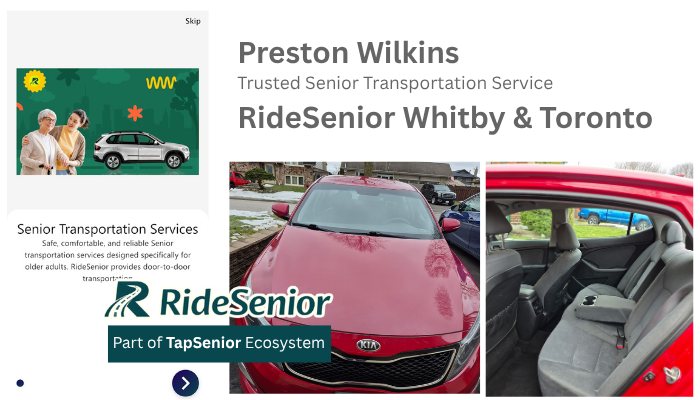
This comprehensive guide will walk you through how to install the RideSenior mobile app on Android and iOS devices, how to create an account, how to book a ride step-by-step, and why RideSenior is becoming an essential platform for senior mobility.
Understanding the Importance of Senior Transportation Services
As the global population ages, the demand for accessible and specialized transportation continues to increase. Many seniors face physical limitations such as reduced mobility, balance issues, or reliance on assistive devices like walkers and wheelchairs. In addition, some seniors may experience cognitive challenges that require extra patience and communication.
Traditional transportation services often lack the training and infrastructure needed to support these requirements. Drivers may not be trained to assist seniors properly, and app interfaces can be too complex for elderly users.
RideSenior addresses these gaps by combining technology with care-focused service. The platform aligns with broader principles of age-friendly design and accessibility, similar to recommendations from organizations like World Health Organization and AARP. The goal is to empower seniors to remain independent while ensuring their safety and comfort.
Step 1: Installing the RideSenior Mobile App
Getting started with RideSenior begins with installing the app on your smartphone. The app is available on both major platforms: iOS and Android, ensuring accessibility for a wide range of users.
If you are using an iPhone or iPad, open the App Store and search for “RideSenior.” Once you find the official app, tap “Get” or “Download” and authenticate using Face ID, Touch ID, or your Apple ID password. After installation, the app will appear on your home screen.
For Android users, open the Google Play Store and search for “RideSenior.” Tap “Install” to begin downloading the app. Once the installation is complete, the app icon will be available on your device.
The RideSenior app is optimized to run smoothly even on older smartphones, making it accessible for seniors who may not use the latest devices.
Step 2: Creating and Setting Up Your Account
After installing the app, the next step is to create an account. RideSenior has designed its onboarding process to be simple, clear, and user-friendly, especially for seniors who may not be familiar with mobile applications.
To register, open the app and choose to sign up using your phone number or email address. You will be asked to enter basic information and create a password. A one-time password (OTP) will then be sent to your phone or email for verification. This ensures that your account is secure while keeping the process quick and straightforward.
The interface uses large text, clear buttons, and minimal steps to reduce confusion. This design approach helps seniors navigate the app with ease. In many cases, family members or caregivers can also create and manage accounts on behalf of seniors, making it easier to coordinate transportation.
Step 3: Booking a Senior Transportation Ride
Once your account is set up, you can begin booking rides. The RideSenior booking process is designed to be intuitive and efficient.
When you open the app, you will see the main booking screen. Start by entering the pickup location. This can be your current location, which the app detects automatically, or a manually entered address. Next, enter the destination where the senior needs to go.
RideSenior allows users to book rides immediately or schedule them in advance. Scheduling is especially useful for medical appointments, ensuring that transportation is arranged ahead of time and reducing stress.
One of the key features of RideSenior is the ability to add special instructions. For example, you can inform the driver if the passenger requires wheelchair assistance, needs help walking, or prefers a slower pace. This level of customization ensures that each ride is tailored to the specific needs of the senior.
Additionally, RideSenior allows users to select preferred drivers. This feature helps build trust and familiarity, which is particularly important for seniors who may feel anxious about traveling with unfamiliar people.
Step 4: Confirming and Tracking the Ride
After entering all the necessary details, you can confirm the booking. The app will then match you with a suitable driver.
Once a driver is assigned, you will receive detailed information, including the driver’s name, profile, and vehicle details. The app also provides an estimated arrival time, allowing you to prepare in advance.
RideSenior includes real-time GPS tracking, enabling users and family members to monitor the ride as it happens. Notifications are sent at key stages of the journey, such as when the driver arrives, when the passenger is picked up, and when the destination is reached.
This tracking feature provides peace of mind, especially for family members who want to ensure their loved ones are safe throughout the trip. It transforms transportation into a transparent and accountable experience.
Step 5: Payment and Ride Completion
Once the ride is completed, RideSenior offers convenient payment options. Users can pay directly through the app using secure digital payment methods. Alternatively, family members can manage payments remotely, which is particularly helpful for seniors who may not be comfortable with technology.
The app automatically generates receipts for each trip, making it easy to track expenses. This is especially useful for budgeting or for submitting transportation costs for reimbursement in healthcare or insurance contexts.
Tipping the driver is optional but appreciated. RideSenior drivers are trained to provide high-quality service, and tipping is a way to recognize their professionalism and care.
Key Benefits of Using the RideSenior Mobile App
One of the most significant advantages of RideSenior is its focus on safety. Drivers are not just transportation providers; they are trained to assist seniors with mobility challenges and to communicate patiently and respectfully.
Another major benefit is simplicity. The app is designed specifically for seniors, with a clean and easy-to-use interface that minimizes confusion. This makes it accessible even for users who are not familiar with smartphones.
RideSenior also enhances family involvement. Through real-time tracking and notifications, family members can stay informed about every step of the journey. This creates a sense of security and trust.
Personalization is another key strength. Features such as preferred drivers and custom ride instructions allow users to tailor each trip according to their needs. This level of customization is rarely available in traditional ride-hailing platforms.
In addition, RideSenior supports independence. Seniors can maintain their mobility and continue participating in daily activities without relying entirely on family members or caregivers.
RideSenior Compared to Traditional Ride-Hailing Apps
While apps like Uber and Lyft are widely used, they are primarily designed for general audiences. Their focus is on speed, availability, and cost efficiency.
RideSenior, on the other hand, prioritizes care, safety, and user experience for seniors. Drivers are trained to assist with mobility needs, and the app interface is designed to be senior-friendly.
Another key difference is the level of family integration. RideSenior allows family members to monitor rides and receive updates, creating a more connected and supportive experience.
This distinction makes RideSenior a more suitable choice for elderly passengers who require additional support and reassurance.
The Future of Senior Transportation with RideSenior
As technology continues to advance, platforms like RideSenior are shaping the future of mobility for aging populations. By combining digital convenience with human-centered care, RideSenior offers a solution that goes beyond transportation.
The app empowers seniors to remain independent while ensuring their safety. It also provides families with the tools they need to stay connected and informed.
In a world where aging populations are growing rapidly, the need for specialized services like RideSenior will continue to increase. By focusing on accessibility, safety, and personalization, RideSenior is setting a new standard for senior transportation services.
By following the steps outlined in this guide, users can easily install the RideSenior mobile app, create an account, and begin booking rides with confidence. Whether you are a senior looking for reliable transportation or a family member seeking peace of mind, RideSenior offers a comprehensive and compassionate solution tailored to your needs.
RideSenior USA
Bài viết liên quan: